Here’s a workflow problem we see pretty often: the people who know what needs to be orderedvaren’t the ones entering it into the system.
For one of our clients, field reps would walk a customer facility, figure out what needed to be restocked, and send an email back to the office. In theory they could have logged into NetSuite themselves — but pulling out a laptop in the field to navigate a Sales Order screen wasn’t realistic, and NetSuite’s mobile experience wasn’t built for that kind of quick entry. So they did what made sense: fired off an email and moved on. Someone at Customer Service would then take that email, log in, and manually key in the order. Nothing broken about it — just slow, and dependent on a handoff that didn’t always happen quickly.
We started thinking about whether Claude could just…do that middle part.
Connecting Claude to NetSuite
Using the MCP integration on the Claude Team plan, we connected Claude directly to the client’s NetSuite production environment. The idea was straightforward: field reps type what they need in plain language, and the Sales Order gets created automatically. The first version did exactly that. It just wasn’t fast enough. Watching it query NetSuite in real time for every customer and item lookup, we knew field reps — standing in a warehouse, phone in hand — weren’t going to stick with it.
So we made a few changes:
• Pre-loaded customer and item lists as CSV files that Claude can reference immediately, cutting out the live database lookups
• Project instructions that preset the default fields for this client, so Claude isn’t asking unnecessary questions
• A dedicated NetSuite role built solely for this agent, paired with a custom tool that creates orders more efficiently than the standard API path
After those changes, the experience felt genuinely fast. Type a normal sentence, get a Sales Order.
What It Looks Like in the Field
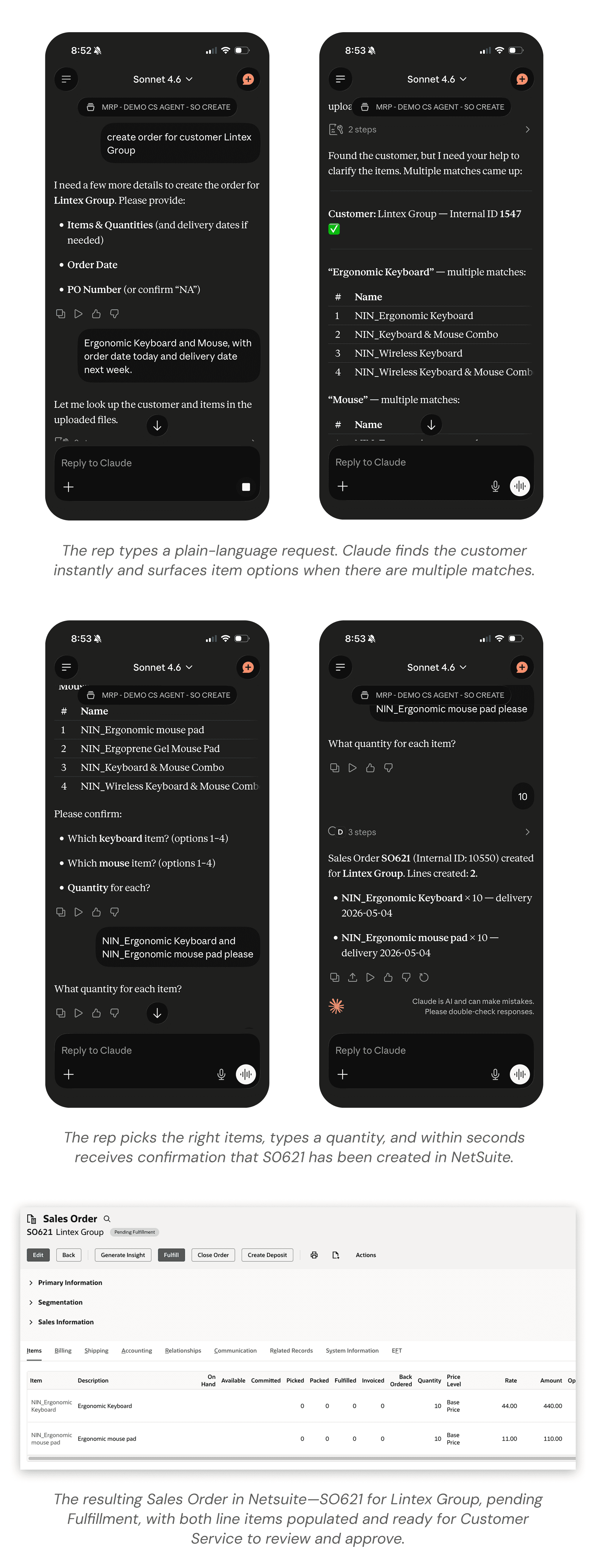
Here's a real example of the full flow—a field rep initiating an order for the Lintex Group entirely from their phone, all the way through to a confirmed record in NetSuite:
A Couple Things That Worked Better Than Expected
Pinned chats turned out to be more useful than we anticipated. Once an order is created for a facility, we pin that conversation. Next visit, the rep has instant context on what was ordered last time — no digging through emails or asking around.
We also kept Customer Service in the loop rather than cutting them out. Field orders come through as a notification, CS reviews and approves, and it moves to fulfillment. They went from manually entering everything to just reviewing it — a much better use of their time.
Putting a Number on It
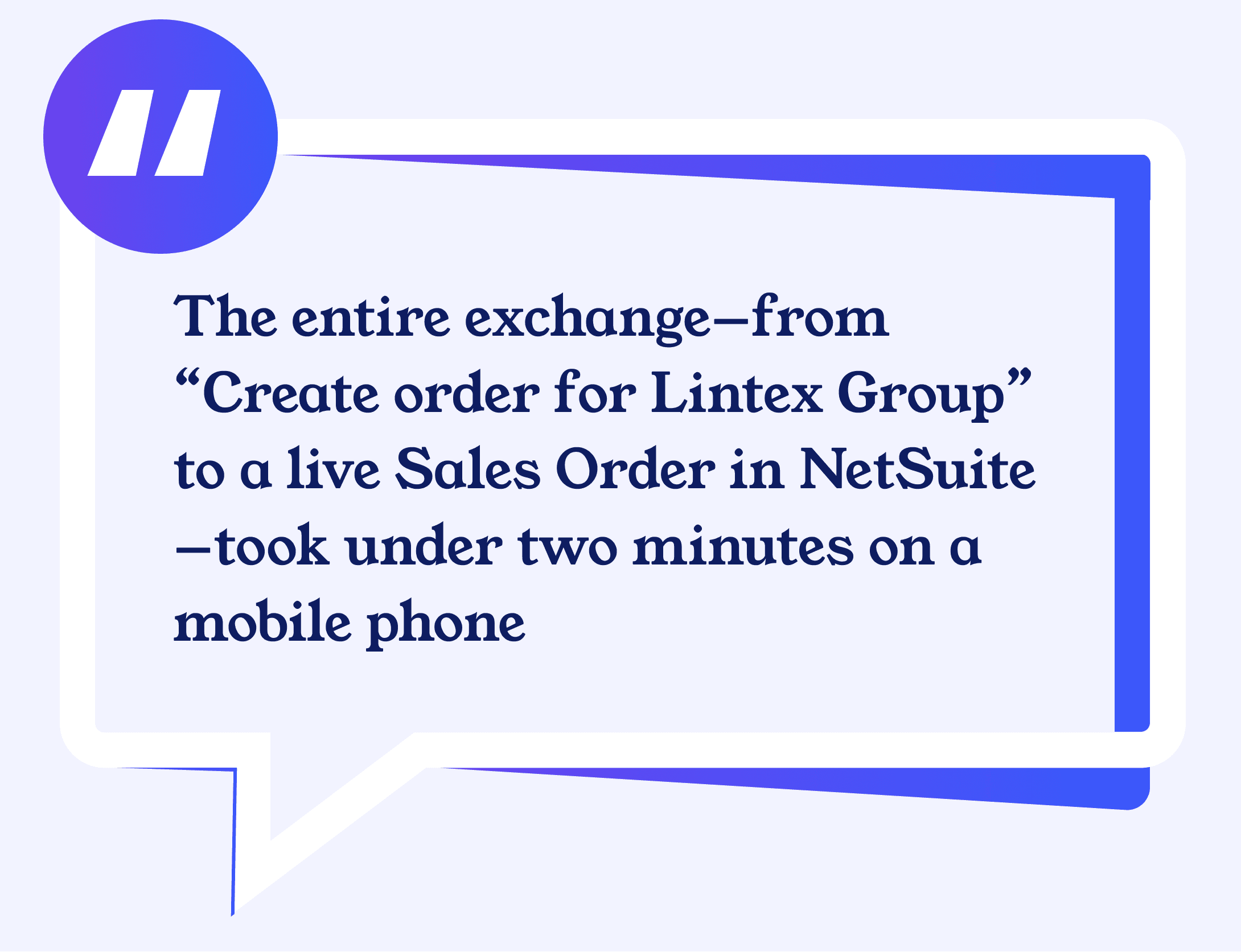
With 2,100 orders processed through this program over the past year, we took a step back to estimate what the workflow change actually meant in terms of time. The old process touched two people for every order. The field rep would spend a few minutes composing and sending an email, and Customer Service would spend another 8–10 minutes logging in, looking up the customer and items, entering the lines, and saving the record. That’s roughly 12 minutes of combined effort per order. With the new agent, the field rep spends about 2 minutes on their phone and CS spends about a minute reviewing and approving — call it 3 minutes total.
That’s approximately 10 minutes saved per order. Across 2,100 orders:
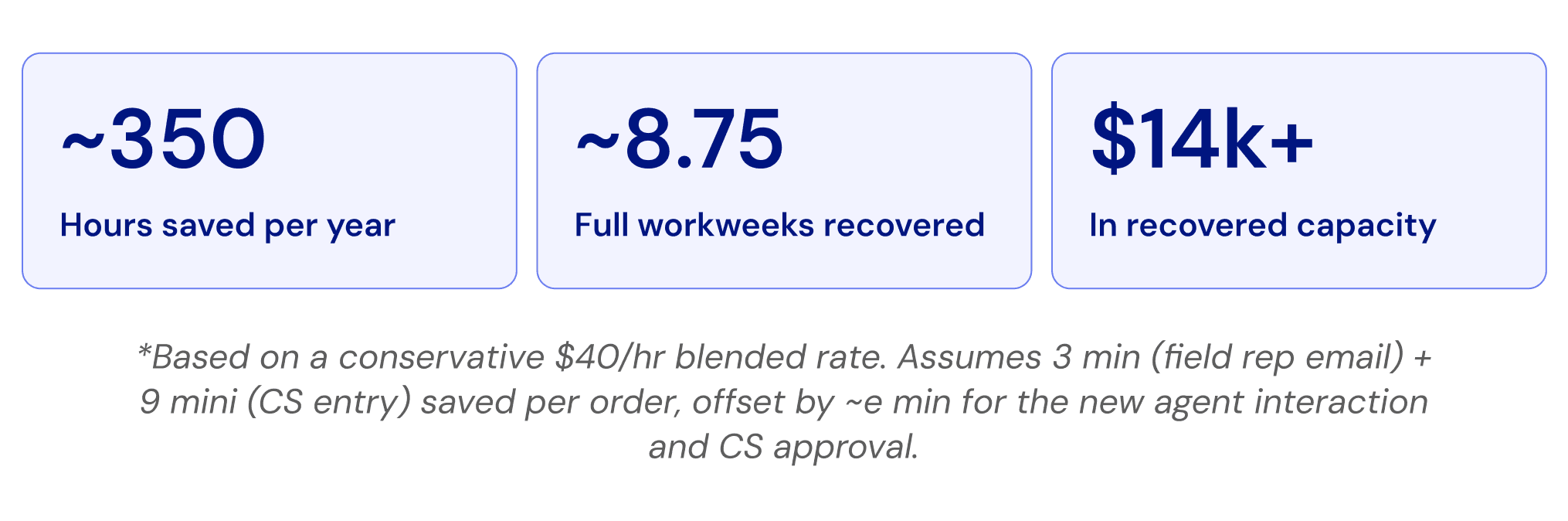
These are conservative estimates. In practice, unclear emails often required back-and-forth clarification before CS could enter anything — adding delay that doesn’t show up cleanly in per-order math but compounds quickly across a high-volume program.
How It Played Out
The lag between “we need to reorder this” and “it’s in NetSuite” went from hours to minutes. A few field reps saw a quick demo and just started using it on their phones on their own — which honestly is the best outcome you can hope for with this kind of tool.
It’s a good example of what’s possible when you connect Claude to the systems your team already works in. The AI piece isn’t the hard part — it’s the setup and optimization that makes it actually usable in the real world.
Interested in connecting Claude to your NetSuite environment? Reach out to us.
DISCOVER DEVMA
Hands-on NetSuite mangement to grow your business
Devma manages your Netsuite environment and provides custom solutions so your team can be more efficient and focus on achieving your company’s mission.